
A care team is a group of providers who share patients. When an appointment type is open to Patients of any provider in a care team, a patient can book with anyone on their own provider's team. Coverage lets one provider take another's patients for a set of dates, for example during a vacation.
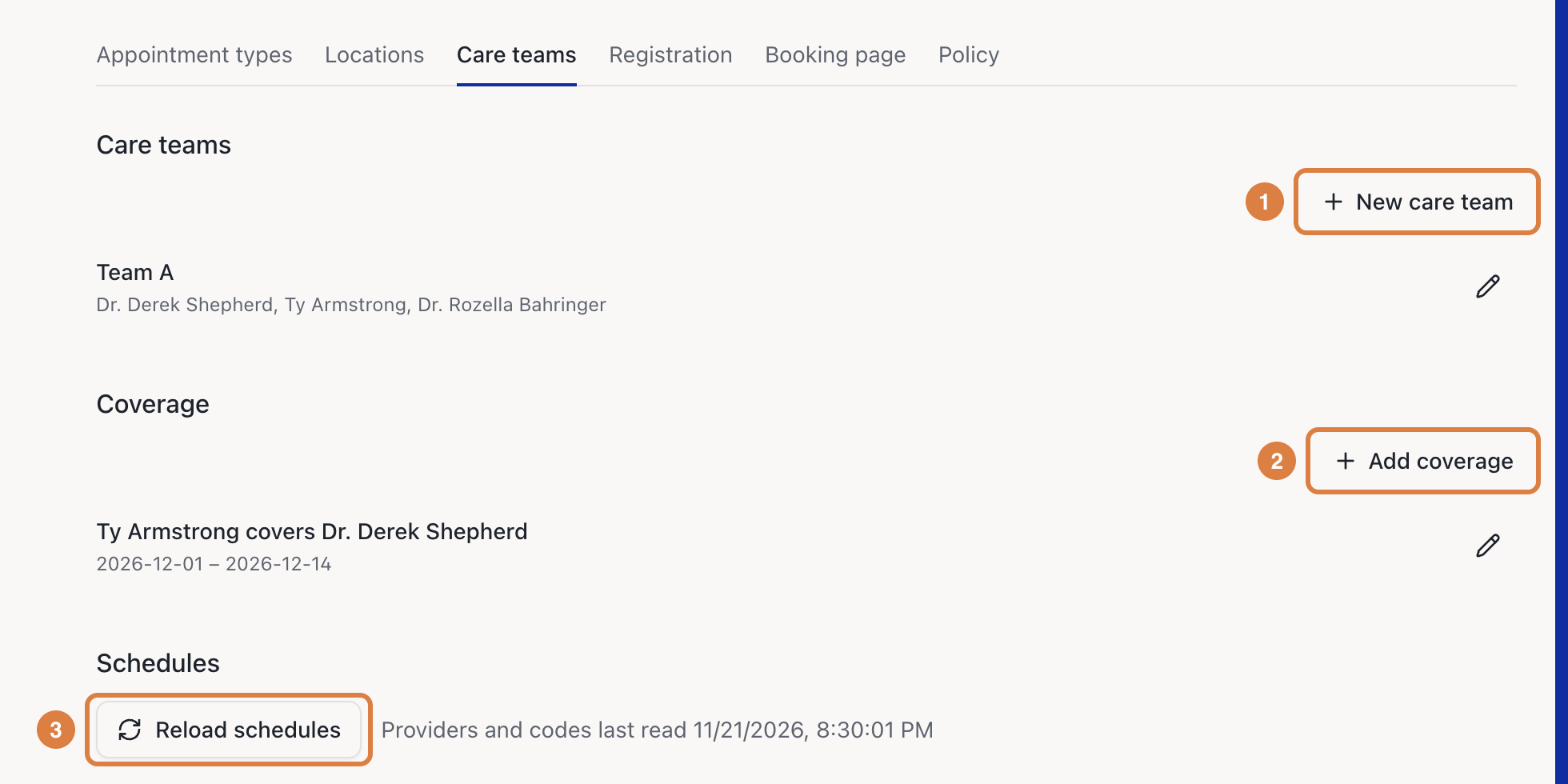
Add a care team
Go to Settings → Online booking and open the Care teams tab.
Click New care team (1).
Enter a Name and tick the Members.
Click Save care team.
Then, on each appointment type the team shares, open Who can book, choose Patients of any provider in a care team and pick the team.
Add coverage
On the Care teams tab, click Add coverage (2).
Choose the Covering provider and the provider they cover for under Covers for.
Set From and To.
Click Save coverage.
Between those dates, patients who book with the provider who's away see the covering provider's times.
Reload schedules
Medulla reads your EMR's providers, schedule codes and sites every day. After you add a provider or a schedule code in your EMR, click Reload schedules (3) to read them now.