
When you see more than one family member in the same visit, such as a parent and their children, you can record the visit once. Medulla writes a separate note for each person, with its own billing and tasks. Each note covers only that person and is saved to their own chart.
In the Medulla side drawer
Open the first family member's encounter in your EMR and open the Medulla side drawer.
-
Click Make this a family visit, the people icon at the top right of the drawer. Search the EMR by name for the next family member and click them in the results.
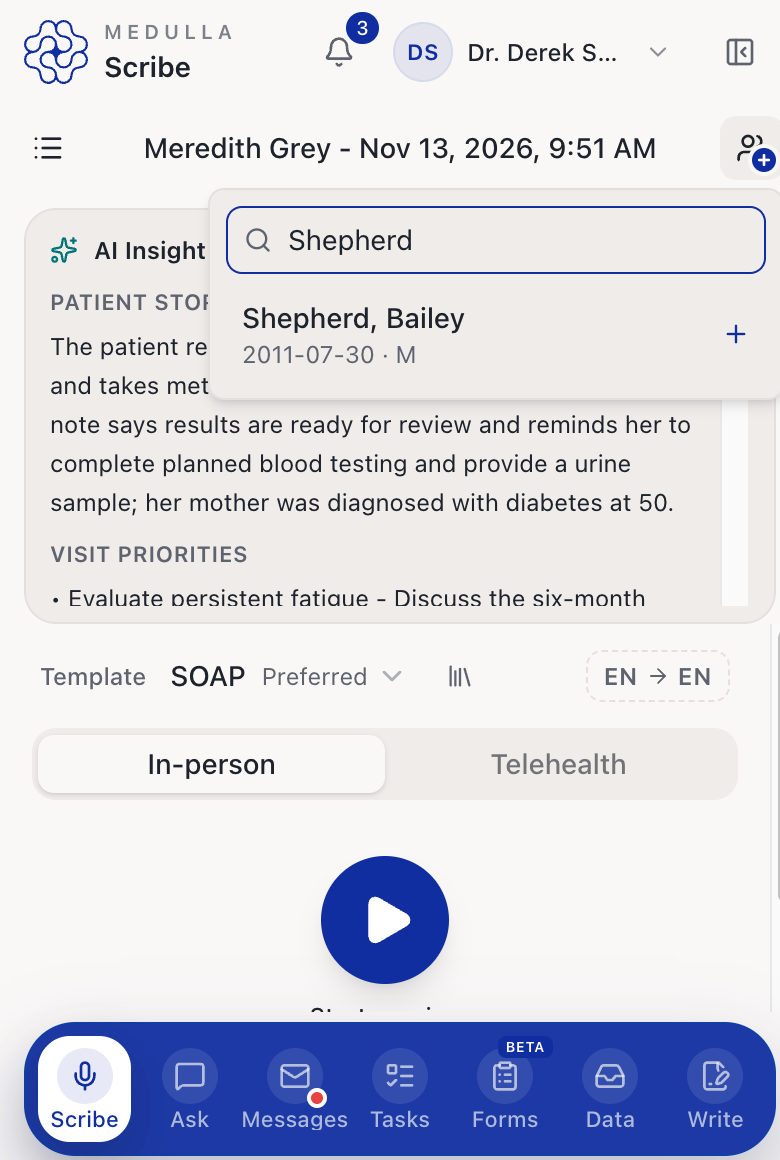
Search the EMR for a family member
-
Each person you add appears at the top of the drawer. Click Add family member to add anyone else in the room, up to six people in all.
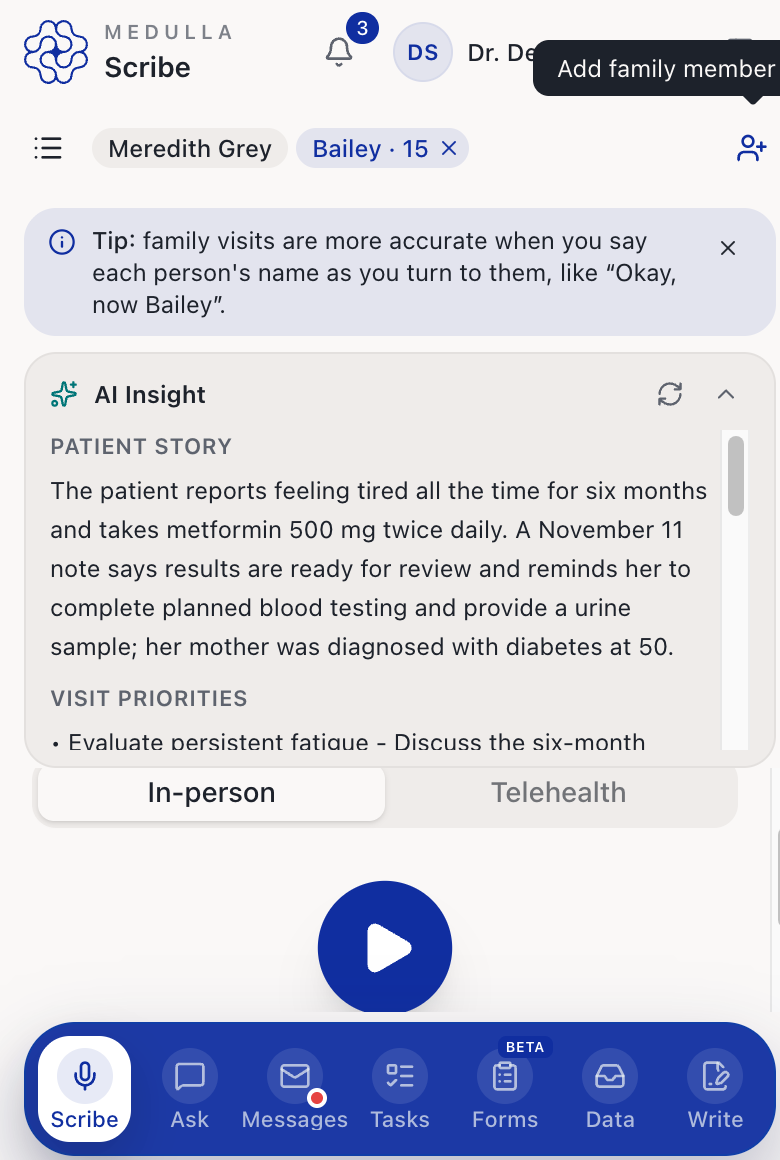
Everyone in the visit, at the top of the drawer
-
Click Start session and confirm consent as usual. If someone joins partway through, click Add family member during the recording. To take someone off the visit, click the × on their name.
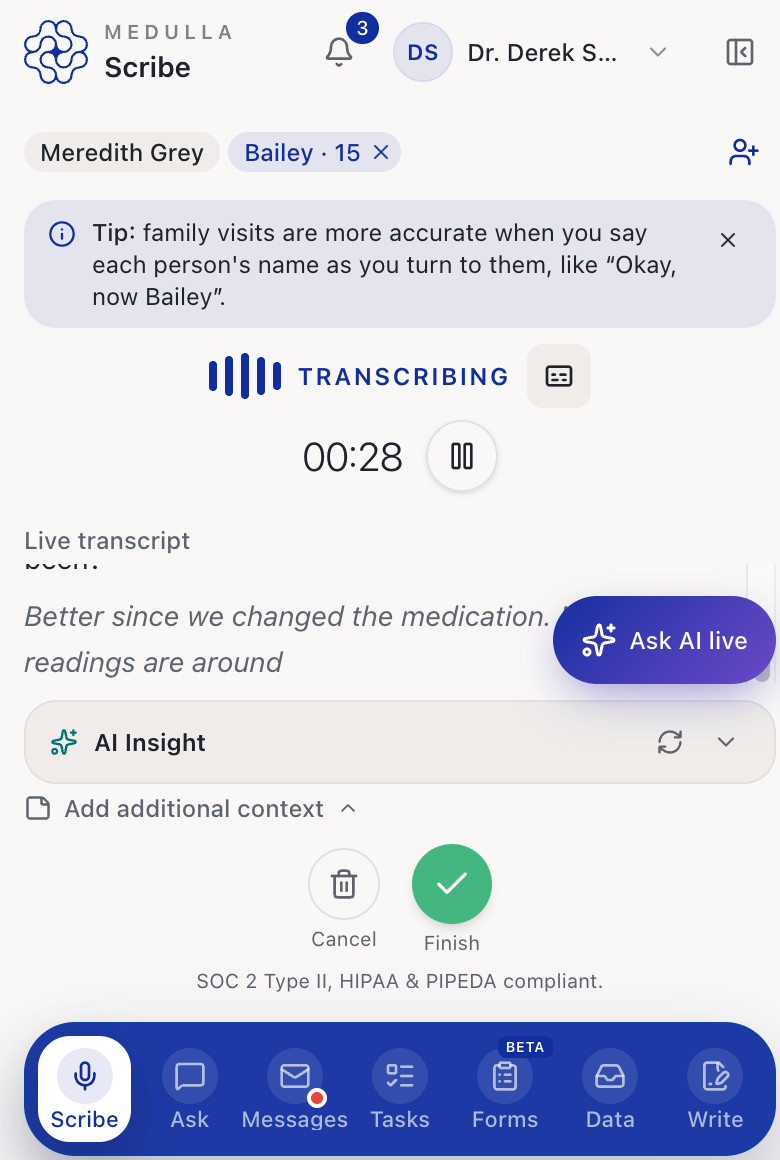
Recording a family visit
-
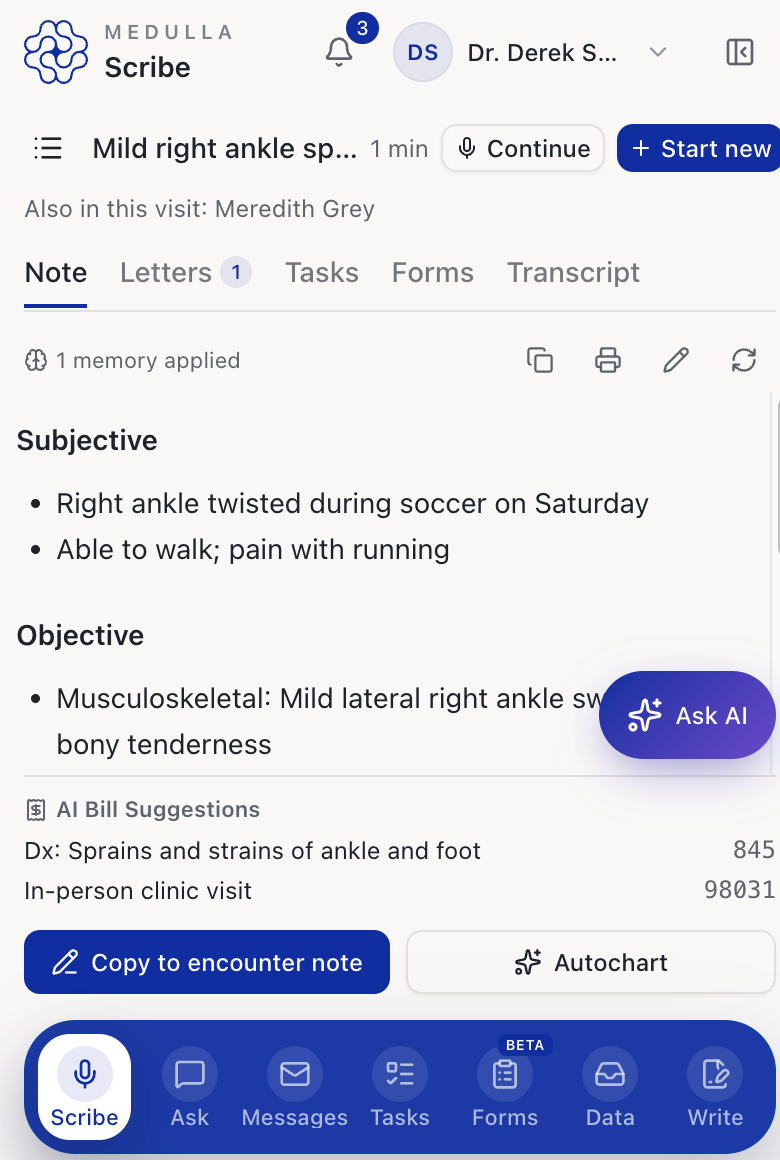
Click Finish when the visit is over. The note for the chart you are on opens in the drawer. The others keep generating, and when you open each family member's chart, their note is waiting in the drawer. Each note shows who else was in the visit.
-
The family member's note, waiting on their chart
Family meet and greets booked online
When a family books a meet and greet together through your Medulla online booking page, Medulla recognizes them as one visit. On the day, the drawer shows Family meet and greet on the first family member's chart, with everyone who was booked already listed. Untick anyone who didn't come, then click Start.
In the Medulla web app
Start a new session, choose the first patient, then click Make this a family visit and choose the other family members from your patients. Record and finish as usual. Each person's note appears in their own session.
Tips for accurate notes
Say each person's name as you turn to them, for example "Okay, now Bailey". This helps Medulla tell whose history, findings and plan are whose.
Review every note before you sign it, as you would for any visit.
Continuing a family visit
If you continue a family visit with another recording, the new recording is added to the same visit and every family member's note is rewritten from the full transcript. You can't add new family members to a visit you are continuing. Start a new session for them instead.