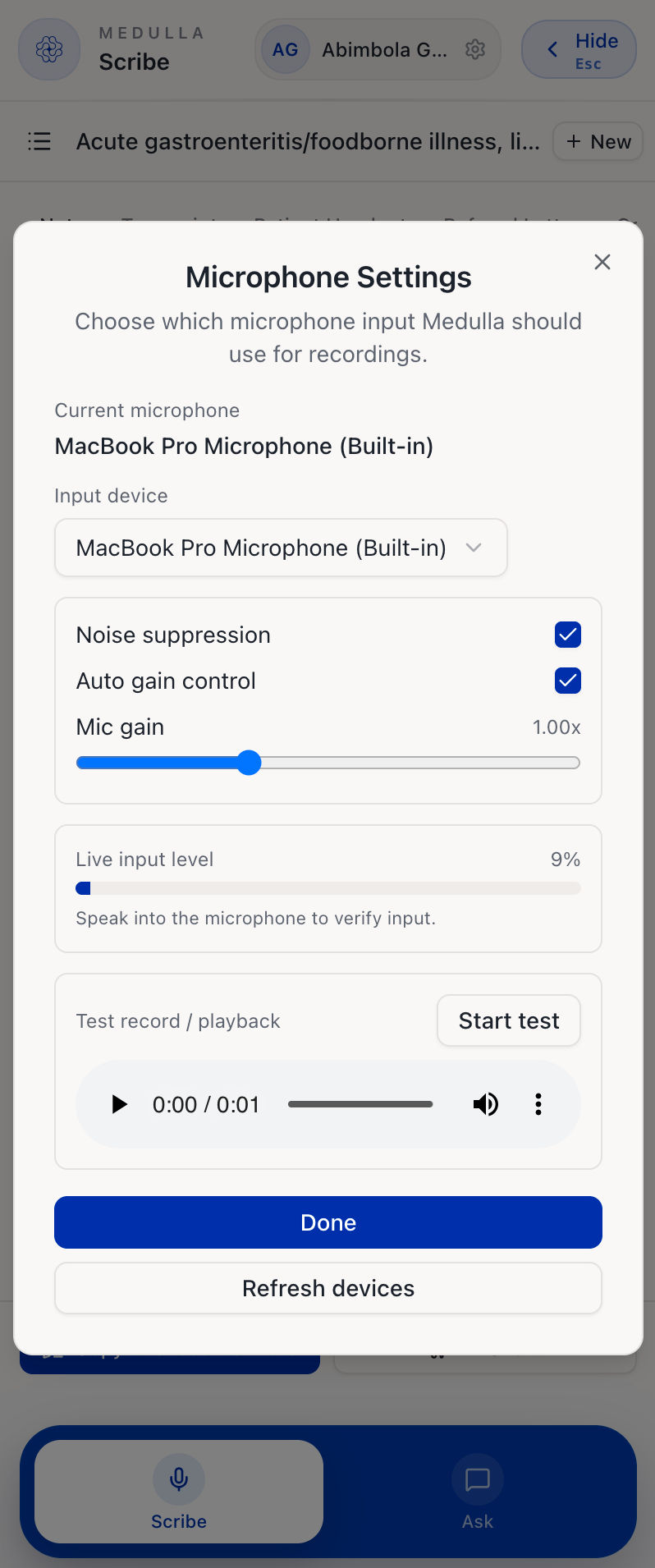
Medulla allows you to customise your microphone settings to ensure the best recording quality for your encounters. To get started,
-
Click the Settings icon and select Microphone Settings.
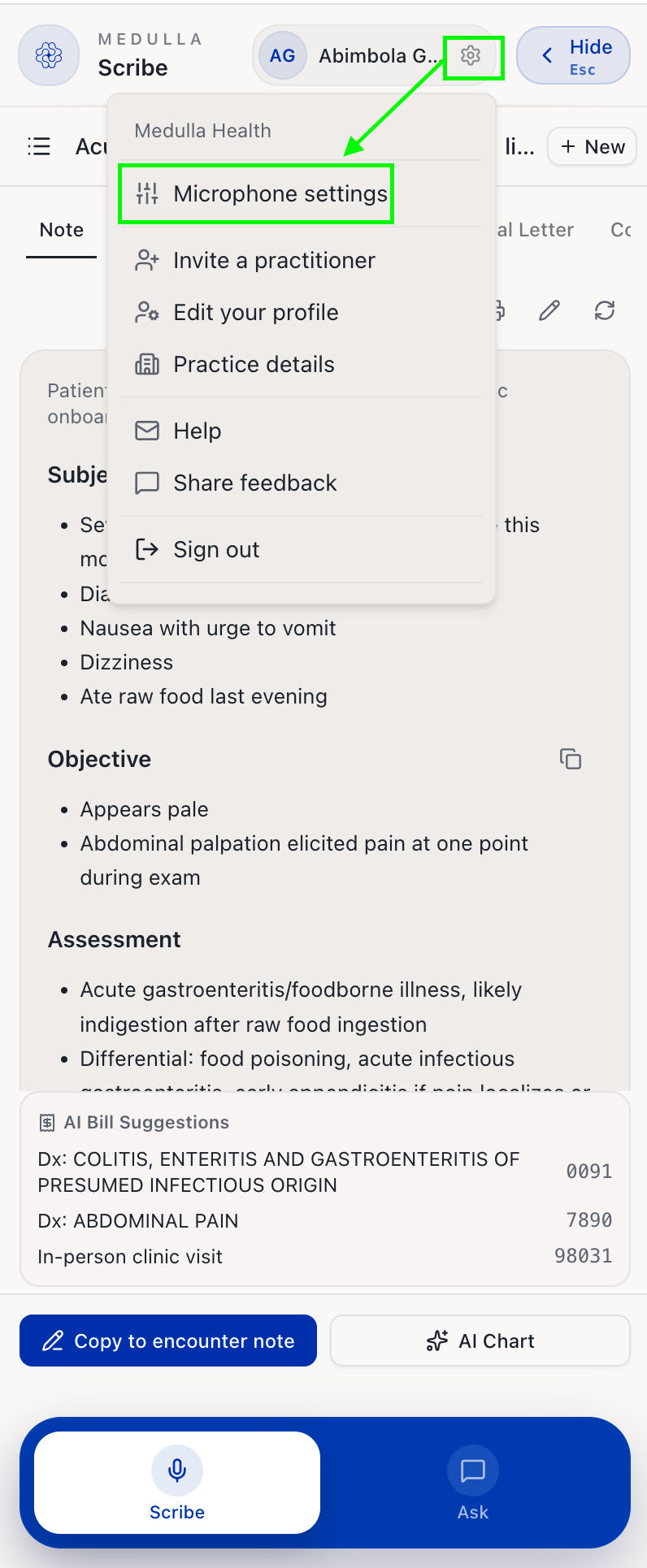
Settings -
From there, you can:
Select your input device: choose which microphone Medulla should use for recordings.
Enable noise suppression: To reduce background noise during recordings.
Enable auto gain control: This automatically adjusts the microphone volume.
Adjust mic gain: To manually control the microphone input level.
Test your microphone: click Start Test to record and play back audio to verify your microphone is working.
Test your connection: click Test connection to place a short silent test call and check that call audio can reach your network. It takes about 20 seconds and tells you what to change if something is blocking it. Worth running before your first phone visit.
Once you are done, click Done to save your settings. You can also click Refresh Devices if your microphone is not appearing in the list.