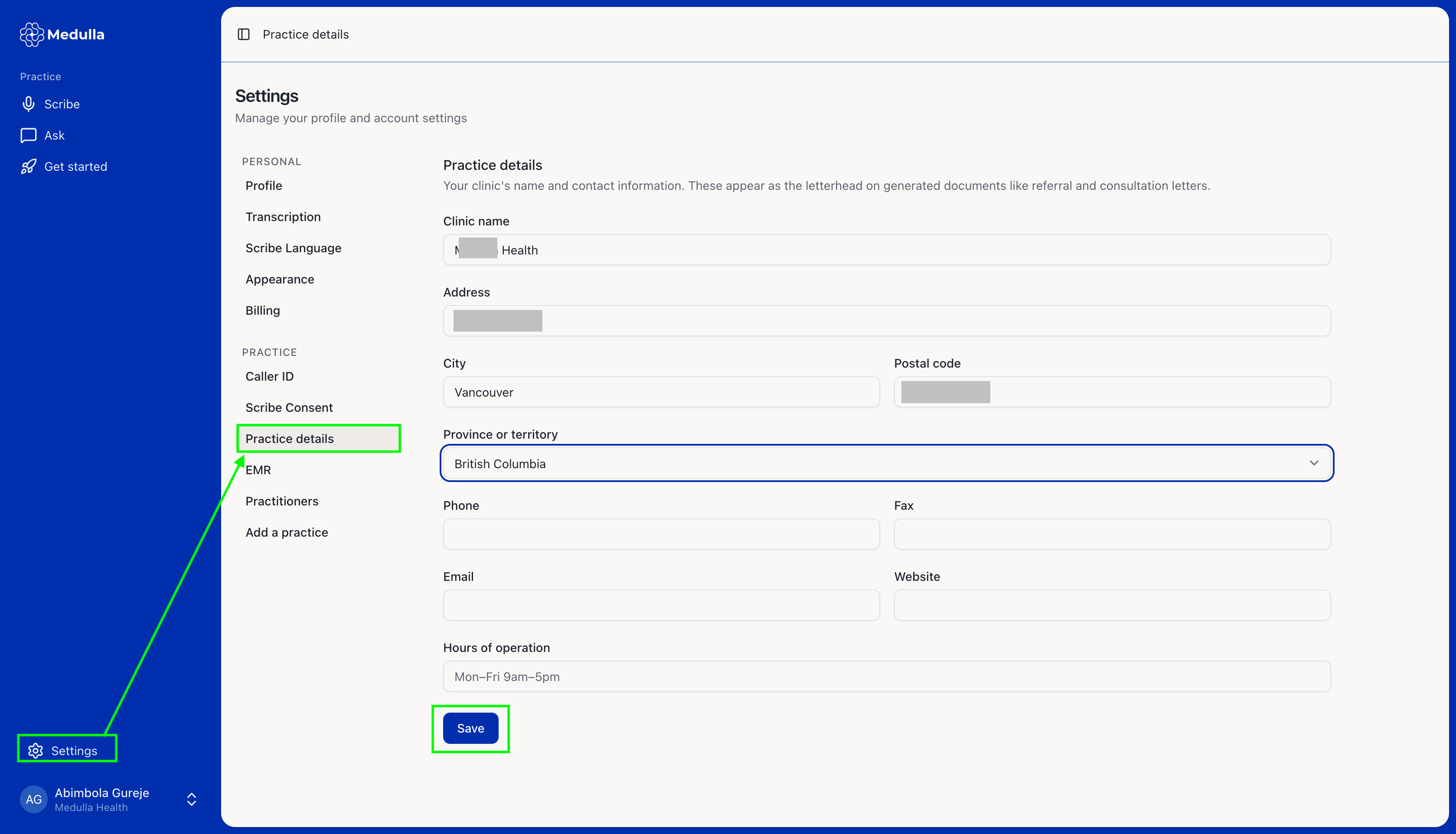
To update your profile information, follow these steps:
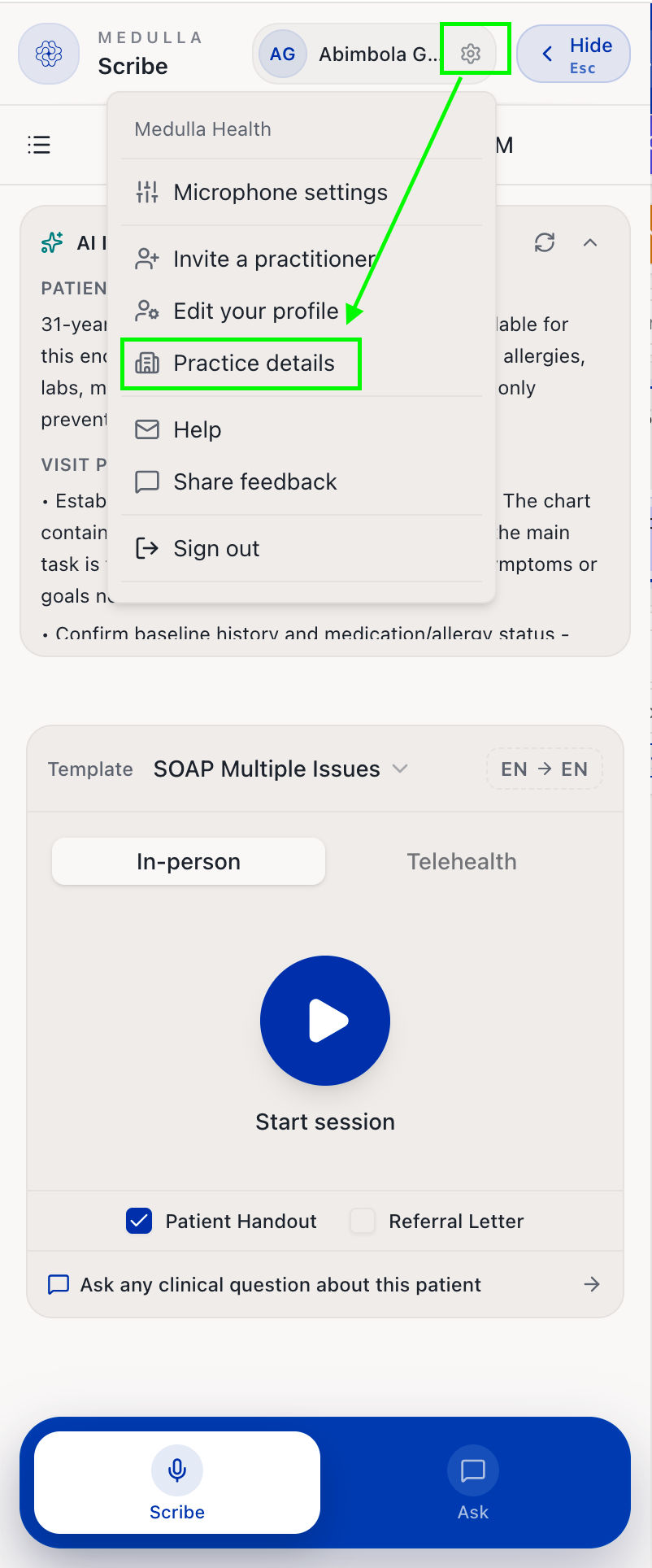
From the Medulla side drawer within your EMR, click on the settings icon
Select Practice Details.
You will be redirected to the Practice details tab under the settings tab in the Medulla Web App
-
Here, you can make changes to the following fields:
Clinic name
Address, City, Province, and Postal Code
Phone and Fax numbers
Email
Website
Hours of Operations
Once done, click Save to apply your changes.