
Medulla can email patients a reminder before their appointment. Reminders are off by default, because many clinics already send their own. Only a practice owner or admin can turn them on, and the setting applies to the whole practice.
Turn reminders on
Go to Settings.
Under Practice, click Appointment Reminders.
Tick Email appointment reminders.
Click Save.
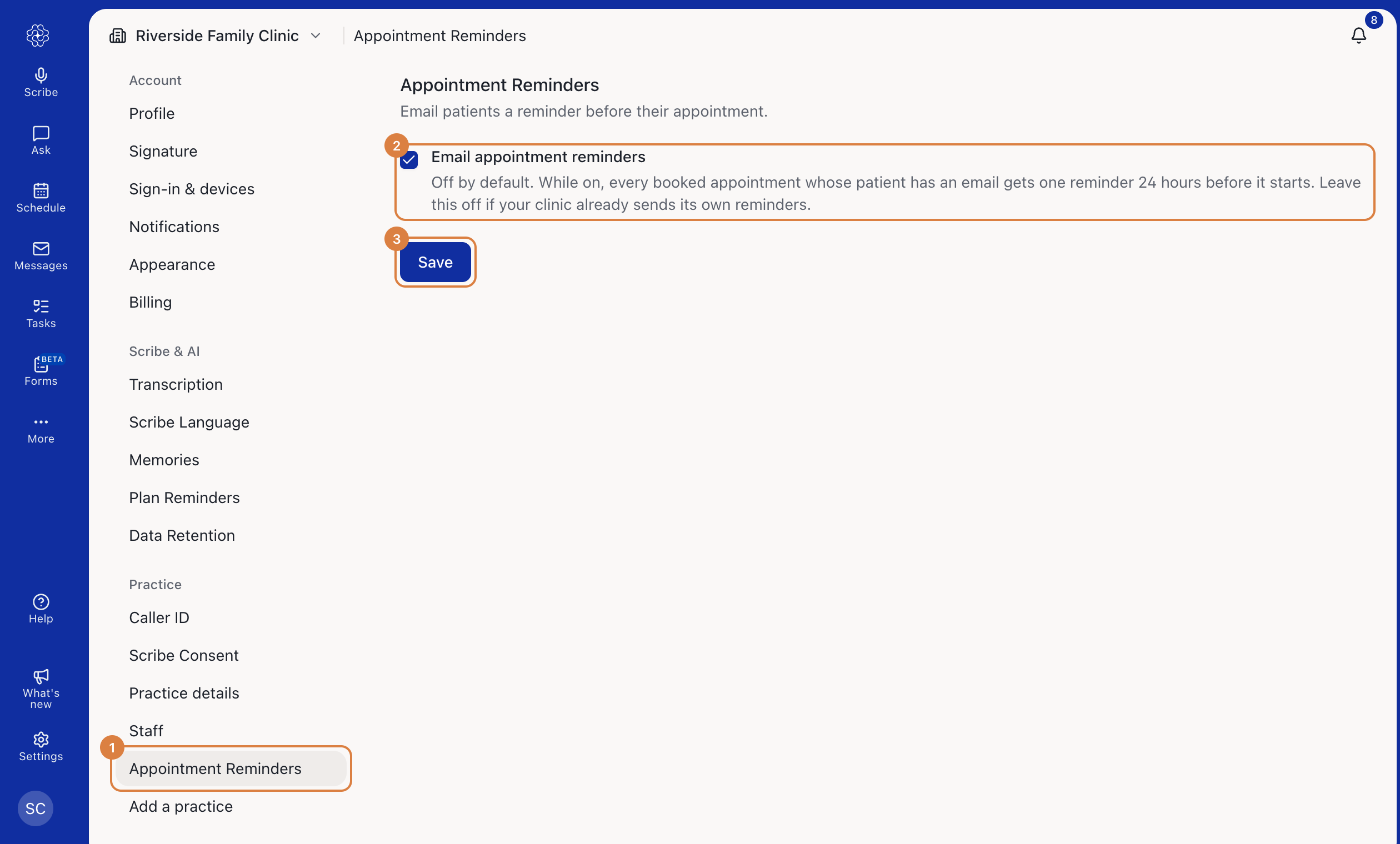
To stop sending reminders, untick the box and save.
Who gets a reminder, and when
Each Booked appointment gets one reminder, 24 hours before it starts.
An appointment booked less than 24 hours ahead gets its reminder straight away.
The patient needs an email address on their record.
An appointment that's cancelled, marked as a no-show or already over gets nothing.
Each appointment is reminded once. Rescheduling it doesn't send a second reminder, and cancelling it doesn't send a notice.
Reminders are email only. Medulla doesn't send text messages.
What the email says
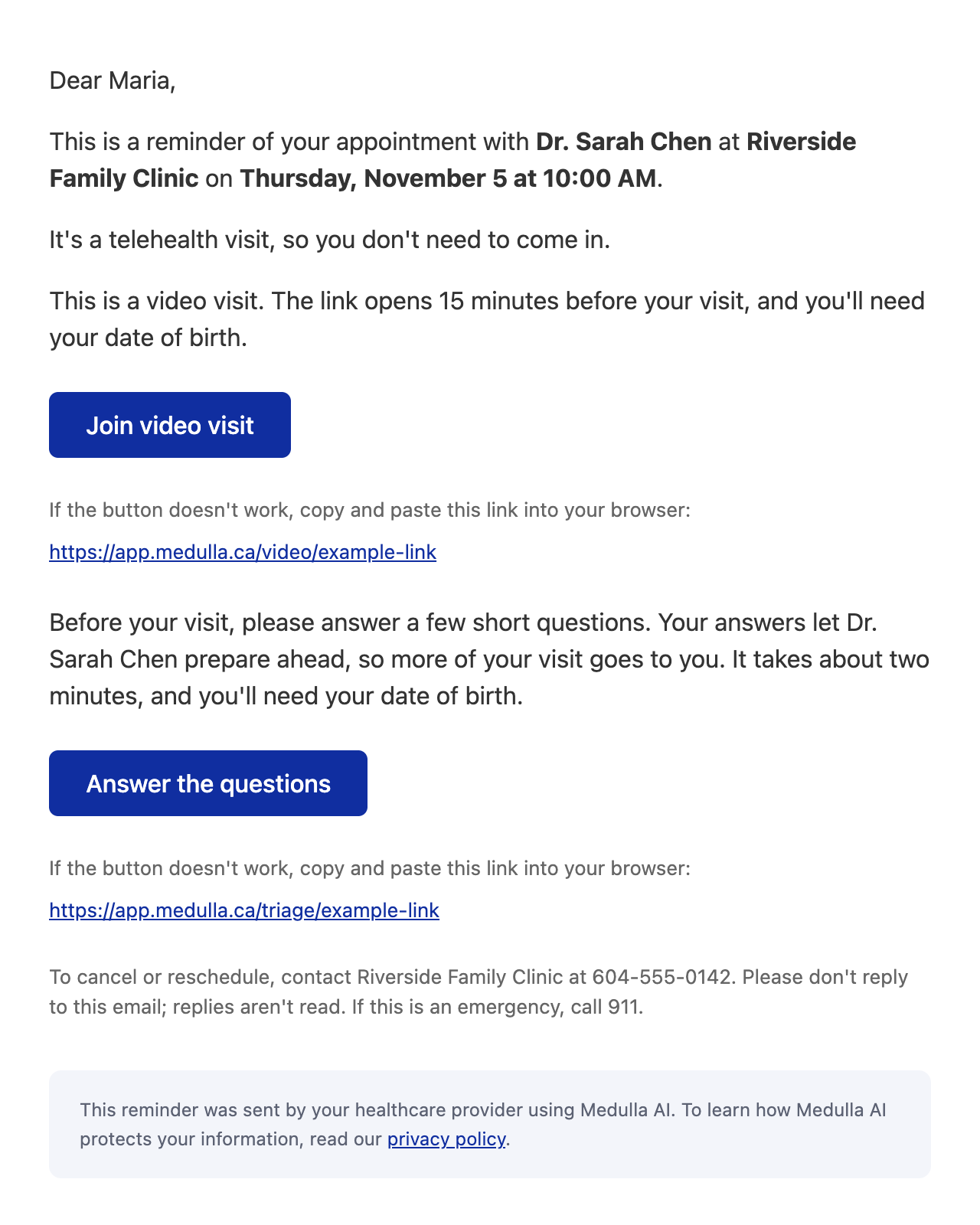
The reminder gives the practitioner, the date and time, and whether it's an in-person or telehealth visit. It tells the patient to contact your clinic to cancel or reschedule, and shows your practice phone number if you've added one in your practice details. It never includes clinical information or the appointment's notes.
The email can also include:
A join link, for a video visit. See How to run a video visit.
A link to the pre-visit triage, until the patient has answered it. See How to send a pre-visit triage to a patient.
Check an appointment's reminder
Open any appointment on the Schedule. The Reminder row shows one of:
Off for this practice: reminders are turned off. Owners and admins can click it to go to the setting.
No email for this patient: add an email to the patient's record if you want them to get one.
Emails followed by a date and time: when the reminder will go out.
Sent followed by a date and time: when it went out.
Not sent: the appointment is no longer booked, or is already over.