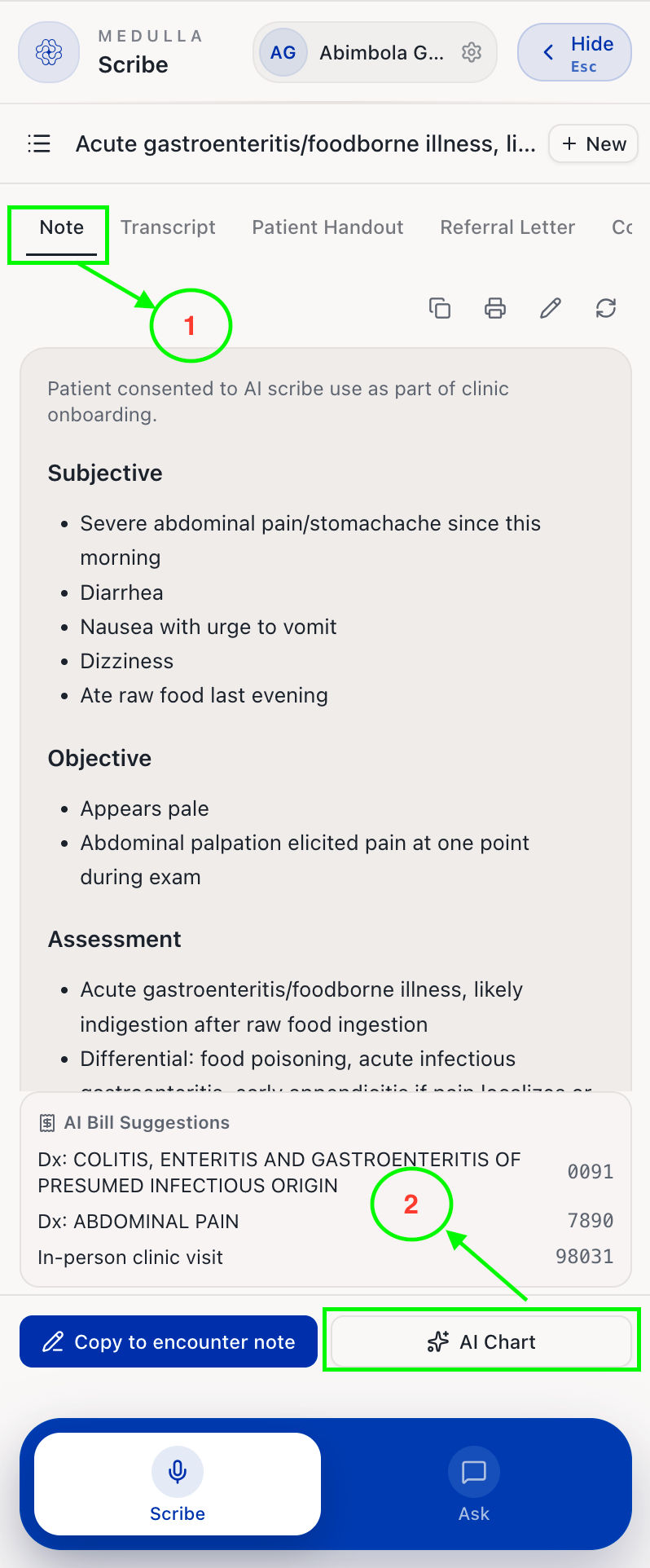
The AI Chart feature saves you time by automatically generating suggested chart updates based on your scribe session, eliminating the need to type chart updates after each encounter manually.
To update your patient's chart, follow these steps:
Navigate to the Note tab of the specific scribe session.
Select AI Chart.
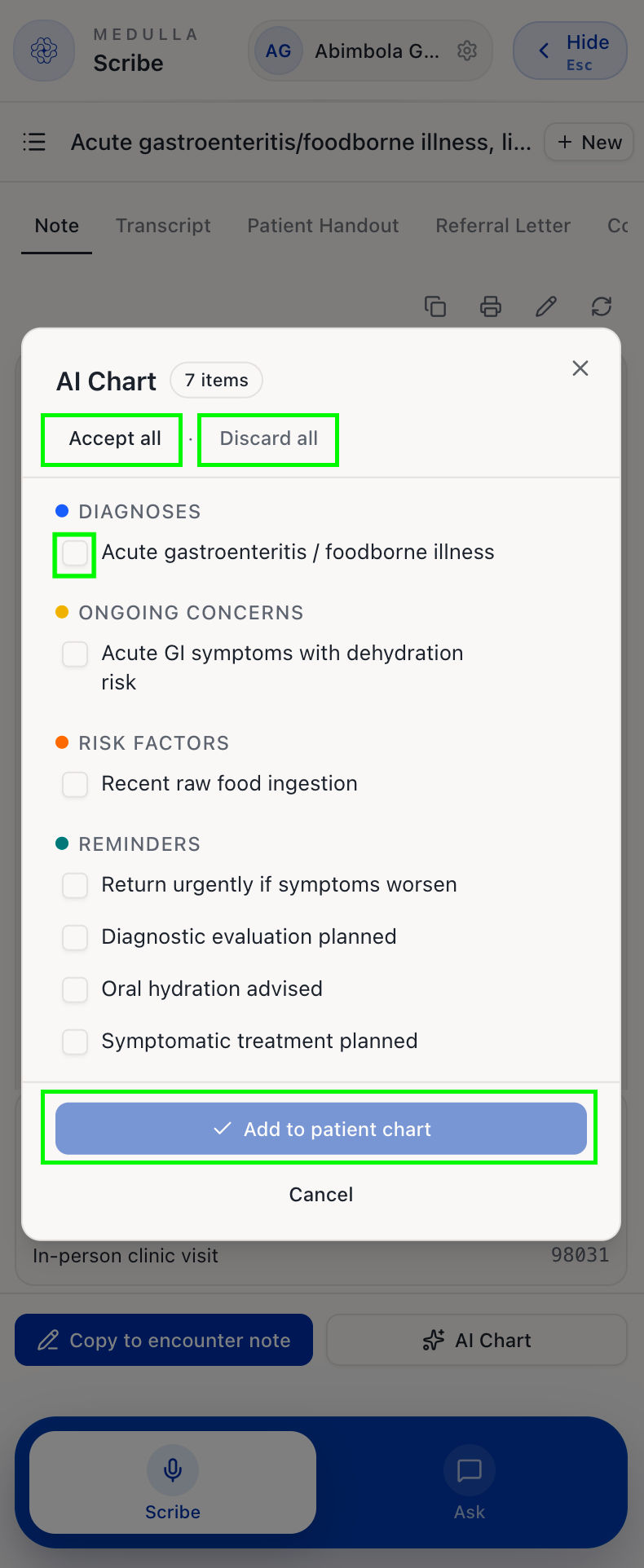
You should see a pop-up. Choose the specific summaries you want to add to the chart by checking the boxes, or click Accept All to add all summaries.
If none are suitable, click Discard All.
Click Add to Patient Chart to update your EMR.