
After every scribe session, Medulla automatically suggests relevant billing codes based on your encounter so you don't have to look them up manually.
To view the billing code suggestion, do the following:
-
Complete your scribe session and click Finish.
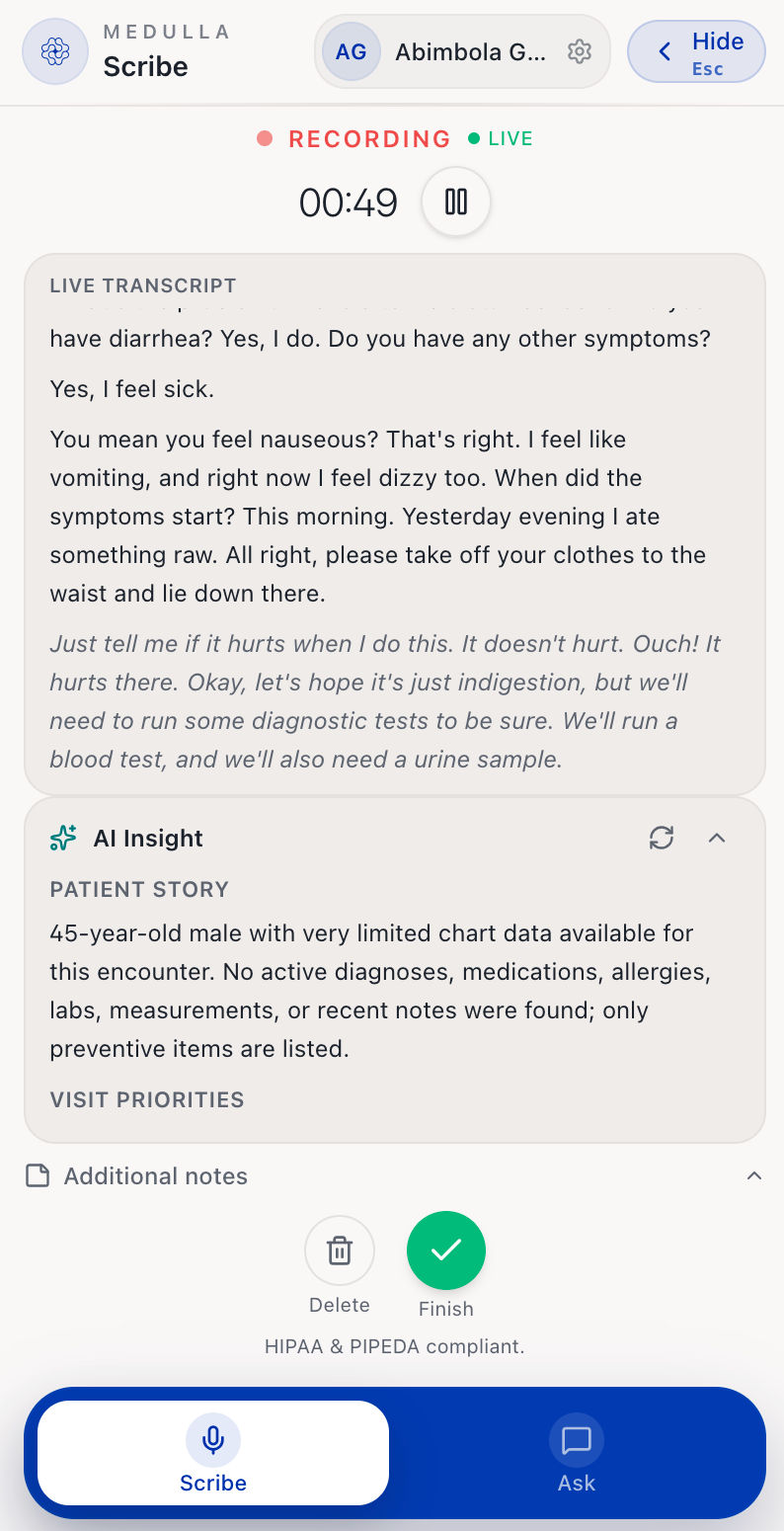
Finish Session Once the audio has been successfully uploaded, the note is then generated, and you will be redirected to the Note tab still within the Medulla side drawer.
-
The AI billing code suggestions are right beneath the notes. The suggested codes include diagnosis codes for the patient's condition and a procedure code for the type of visit conducted.
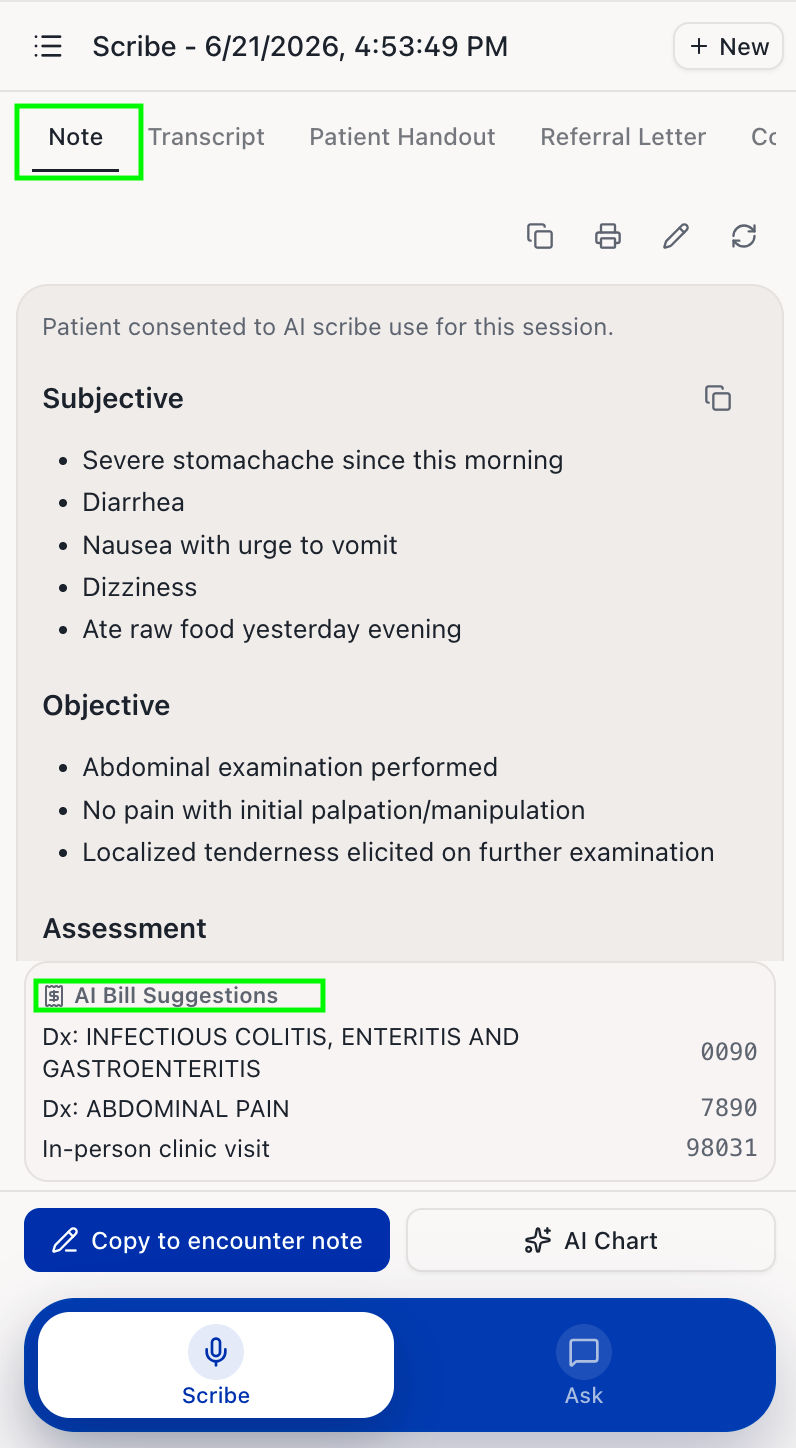
Medulla AI Bill Suggestions You can then decide to use the suggested codes, where applicable.