
Your cancellation policy says how close to an appointment patients can still cancel or reschedule online, and what you charge for a missed or late-cancelled visit. Patients read it before they book, and it's in their confirmation email.
Go to Settings → Online booking and open the Policy tab.
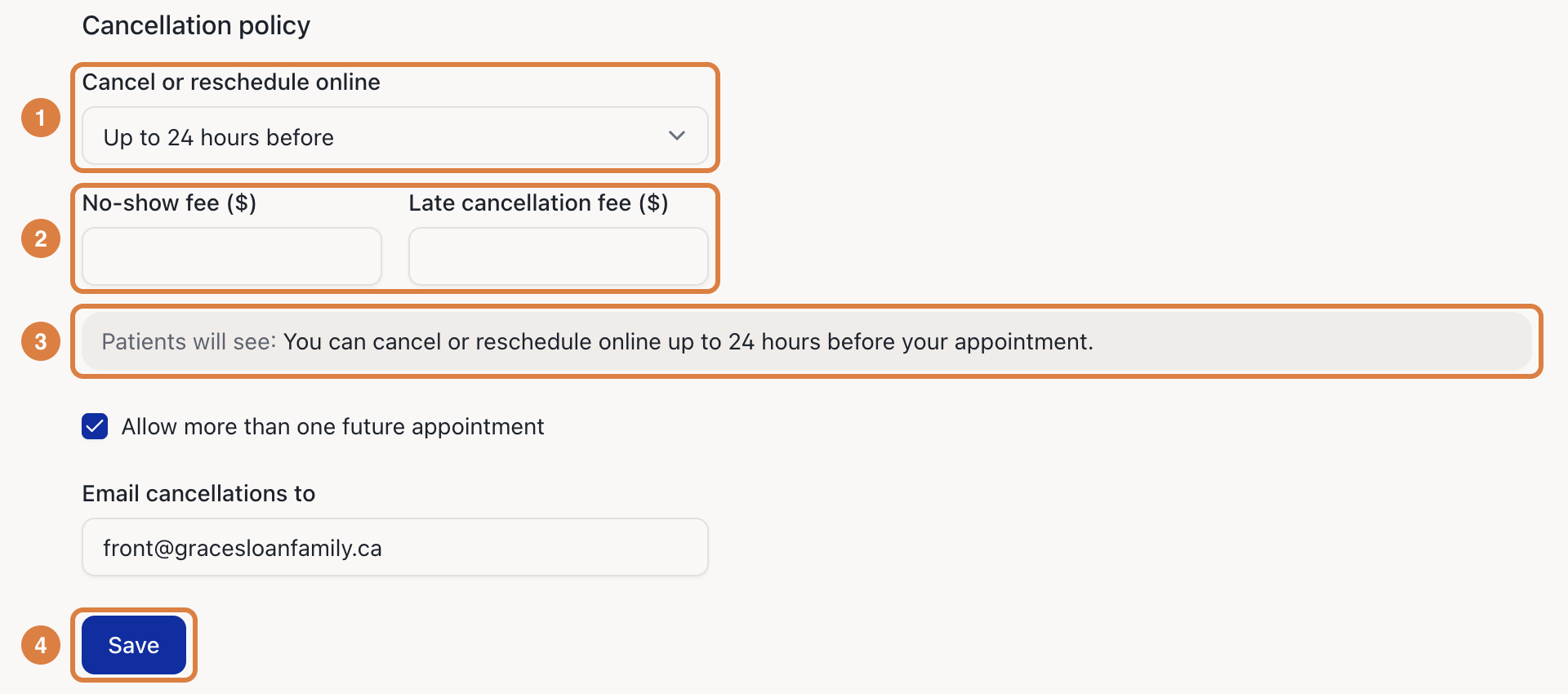
Under Cancel or reschedule online (1), choose how close to the appointment patients can still change it online, from Anytime to Up to 72 hours before. Closer than that, they're asked to call the clinic.
Enter a No-show fee ($) and a Late cancellation fee ($) (2) in whole dollars. Leave them empty if you don't charge.
Read the policy under Patients will see (3). Medulla writes it from your choices.
Leave Allow more than one future appointment off to stop a patient booking a type again while they already have one coming up.
Under Email cancellations to, enter the address that should hear when a patient cancels online.
Click Save (4).
To give one appointment type a different window, open the type, go to Booking and choose it under Cancel or reschedule online.