
If your clinic offers online booking, you can book an appointment yourself at a time that suits you, and reschedule or cancel it later from your confirmation email. Your clinic's booking link is usually on its website or in an email from the clinic.
Online booking isn't for emergencies. If this is an emergency, call 9-1-1 or go to the nearest emergency department.
Choose your appointment
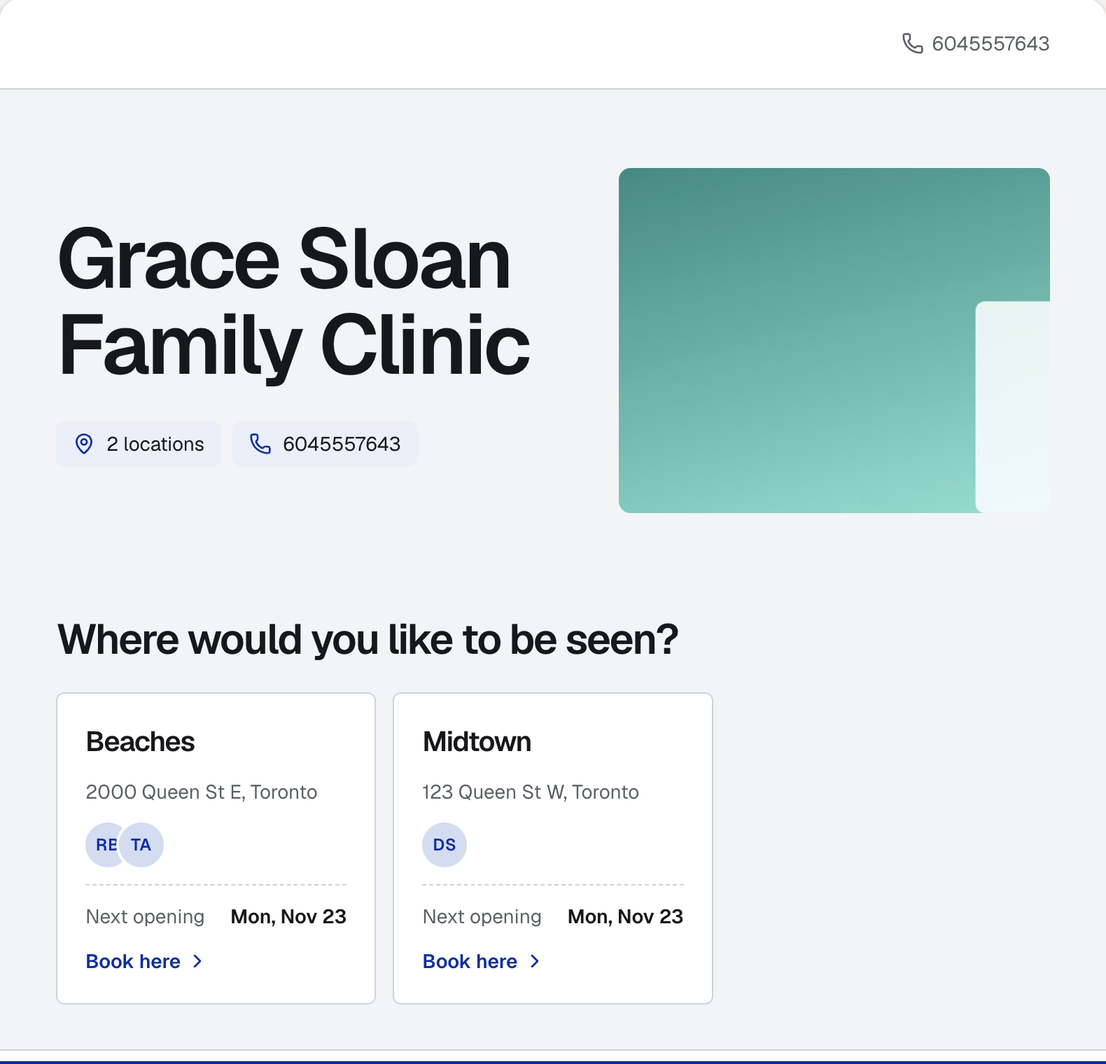
If the clinic has more than one location, choose where you'd like to be seen and click Book here.
Choose what you need. Each visit shows how you can be seen (in clinic, by phone or by video) and the next day with a free time.
If the clinic has a note for this visit, read it and continue.
Confirm who you are
Enter your health card number and date of birth, then click Continue. These match you to your record at the clinic.
If the clinic can't find you, check your details. If you're not a patient there yet, you may be able to register as a new patient.
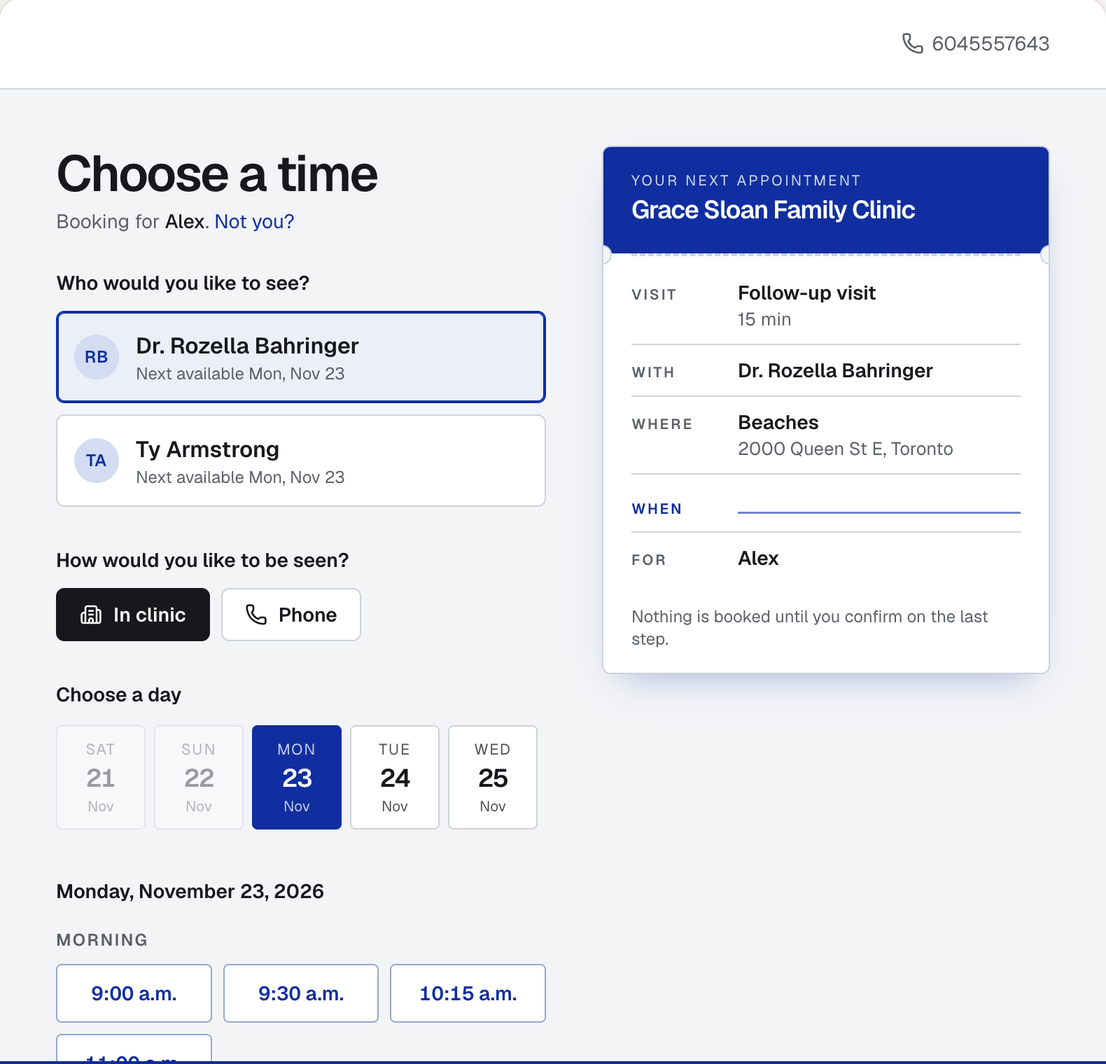
Choose a time
Choose who you'd like to see and how you'd like to be seen. Pick a day, then a time. The summary on the right shows what you're booking. Nothing is booked until you confirm on the last step.
Check your details
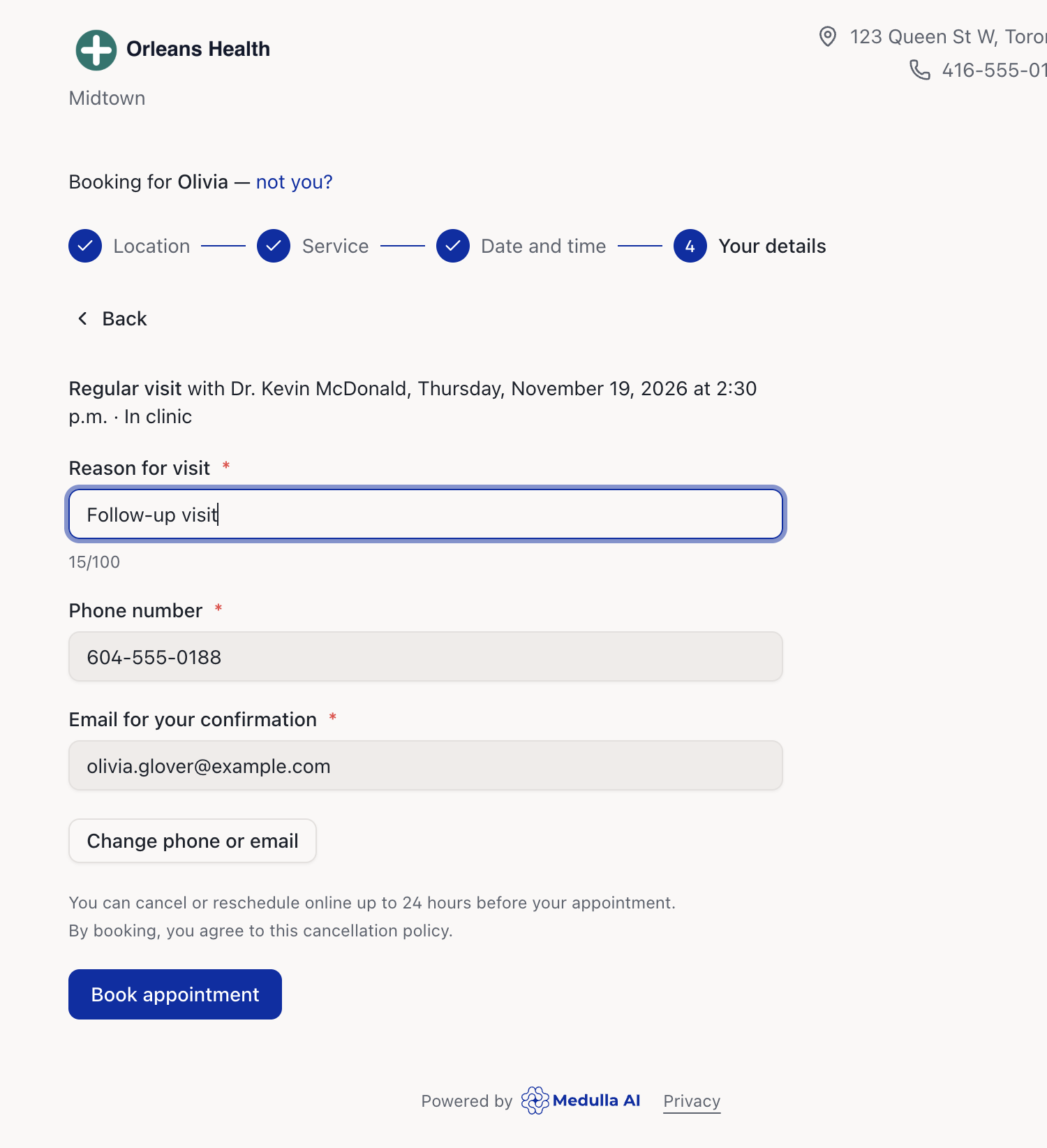
Add a short reason for your visit. Your phone number and email come from your record at the clinic.
To change them, click Change phone or email. A code is emailed to the address the clinic has for you. Enter it within 10 minutes, then update your details. The clinic's record is updated too.
Read the clinic's cancellation policy above Book appointment. Booking means you agree to it.
Book
Click Book appointment. Your appointment is booked with the clinic straight away. If someone took the time just before you, choose another.
You'll see your appointment with an Add to calendar link, and get a confirmation email with:
When, what, with whom and where. For a phone appointment, it says the number the doctor will call.
A calendar file you can open to add it to your calendar.
A Cancel or reschedule button.
The clinic's cancellation policy and phone number.
Some clinics let you have only one upcoming appointment of each kind. If you already have one, cancel it before booking another.
Reschedule or cancel
Click Cancel or reschedule in your confirmation email and enter your date of birth.
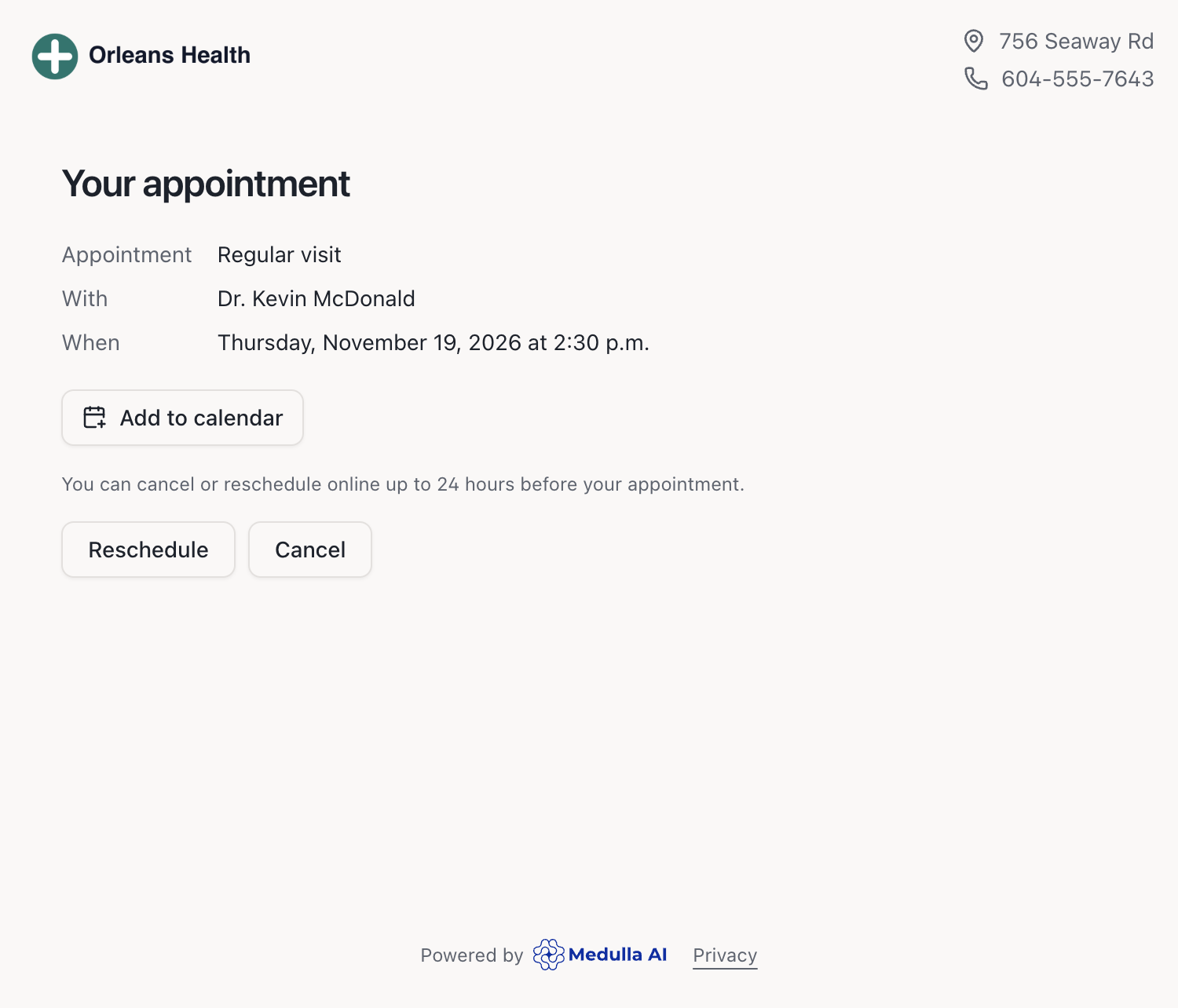
To move it, click Reschedule and pick a new time with the same provider. Your original appointment is cancelled for you.
To cancel, click Cancel, tell the clinic why, and click Cancel appointment.
Each clinic sets how close to the appointment you can still change it online. After that, the page asks you to call the clinic. Missed or late-cancelled appointments may be charged, as the clinic's cancellation policy says.
Questions
For any question about your appointment, the clinic's services or its policies, contact your clinic directly. Its phone number is at the top of the booking page and in your confirmation email. Replies to the confirmation email aren't read.