
Ask can fill a form for you while you talk to it about a patient, and it can add a new form to your practice's forms library. Open Ask from the encounter the form is for, so Medulla knows which visit to fill it from.
Fill a form from your library
Ask for the form by name and say what it's for, for example:
Fill the BC lab requisition for a CBC and ferritin.
Medulla finds the form in your library and fills it from the encounter, the patient's details and your conversation in Ask. A card shows the form as it fills, then how many fields were filled. Click Open to review, print or download it. In the drawer, you can also save it to the patient's chart. See How to fill a form for a patient.
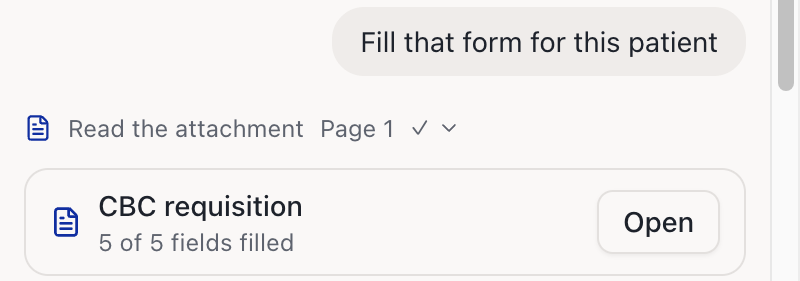
The form also appears on the encounter's Forms tab.
Fill a PDF you attach
In Ask, click + and attach the PDF form.
Ask Medulla to fill it, for example: Fill this form for the patient.
Medulla fills it the same way. An attached form isn't added to your forms library unless you ask. To add it, click Add to library on the card, or ask Medulla.
Add a form to your forms library
Attach the PDF form in Ask.
Ask Medulla to add it, for example: Add this form to our practice's forms.
Medulla reads the form and suggests a name, type, province and description. It also asks whether you want an instruction for every fill.
Change anything you like, or confirm. Medulla adds the form once you've answered.
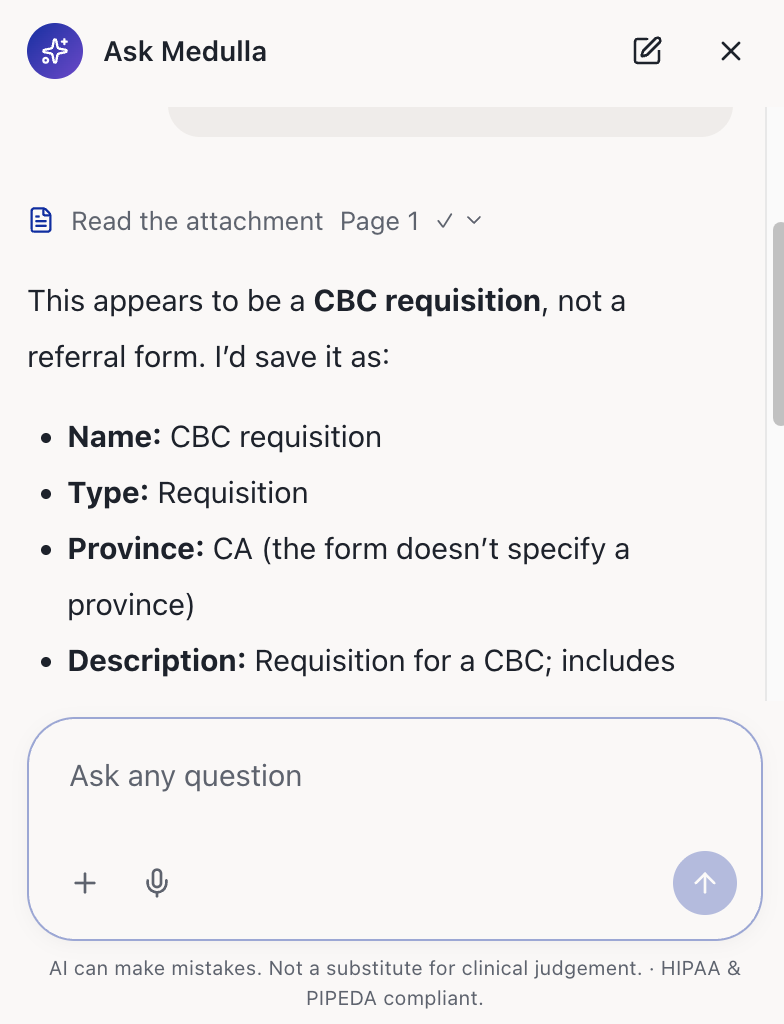
The form then appears on the Forms page, and anyone in your practice can fill it. To change its details later, ask Medulla in the same conversation, or edit it on the Forms page.